 Empty help
Books · Inside the Empty PC
Bored & Noble.
One more book. Plenty of shelf space.
Bored & Noble is a bookshop for the pleasure of browsing a reading pile. Its books have fictional titles, authors and blurbs, with covers made for the game. Start with a genre, inspect a book that catches your eye and read its opening pages before deciding whether it belongs in the bag.
Open Bored & Noble in EmptyFree to play in your browser. JavaScript is needed for the PC; this guide works without it.
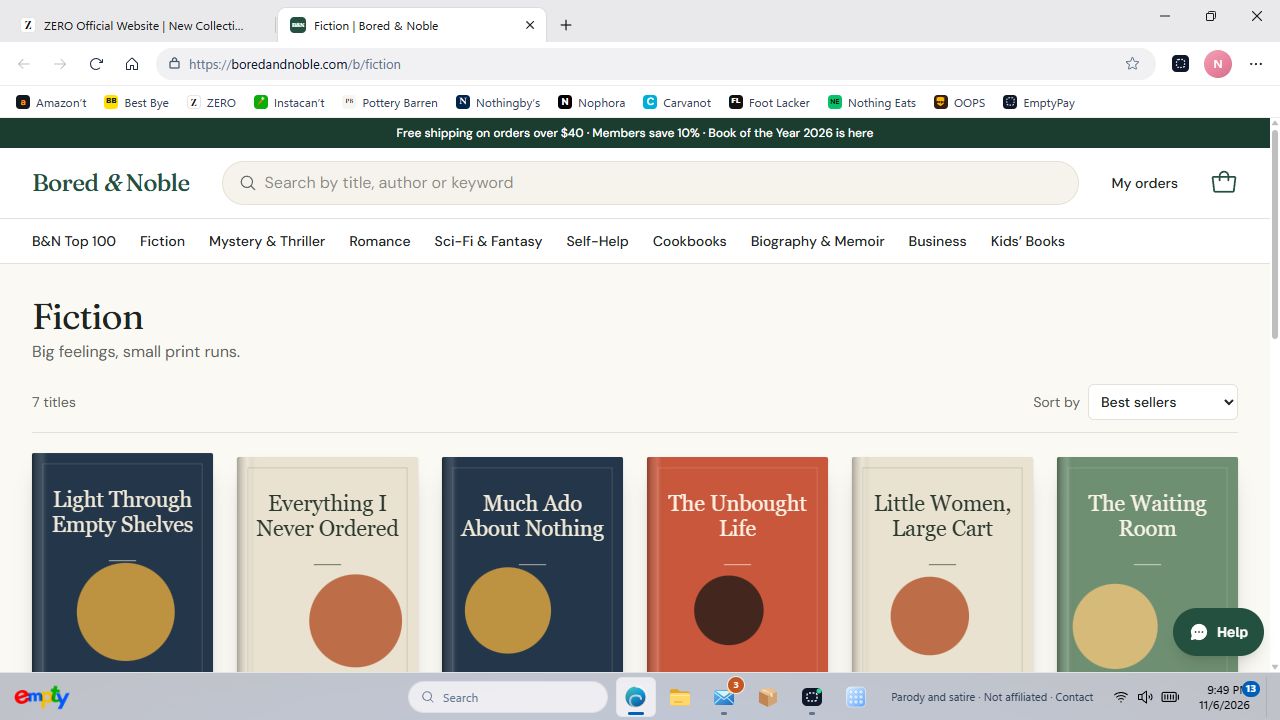
A catalogue written for this pretend world
The shelves include fiction, mystery, romance, science fiction and fantasy, self-help, cookbooks and more. Genre pages give you a smaller shelf to explore, while the Top 100 view is another route through the catalogue. These are game books, not a shop selling real editions.
Look inside, then choose a format
Book pages include opening text and available formats. Look inside for a sample of the fictional book, and check the selected format before adding it to the bag. The sample is part of the browsing experience; buying a title does not promise delivery of a real book or a complete ebook.
Try a specific stop
These shortcuts open the actual department or page inside Empty, so you can try the parts described above.
Before you switch on
Bored & Noble is an original parody, not affiliated with or endorsed by Barnes & Noble. The game uses imaginary money and fictional checkout details. No real purchase is made.
Your progress stays in this browser on this device. Read the playing guide or check privacy and contact details.